Always on
AI does the upkeep.
Structure messy docs, flag conflicts, and surface knowledge that needs attention.
NuHQ keeps company knowledge accurate, cited and in front of the people who need it, so your team can act on it with confidence.

A living home for the policies, processes, and expertise your team comes back to. Organized in collections, connected to the people who know.


AI-native from the start, not a chatbot added on. One shared context layer connects your company’s knowledge, so AI can do the upkeep and your team can trust the answers.
Current, sourced, permission-aware knowledge that your people and AI can work from.
Structure messy docs, flag conflicts, and surface knowledge that needs attention.
Get an answer grounded in company knowledge, with the source and its context attached.
Give your team clear, sourced knowledge instead of another document to decipher.
Owners review and verify before the wrong answer spreads.
Permission-aware answers in Slack and on the web, with a source people can check.
Read tracking and ownership make knowledge gaps visible.
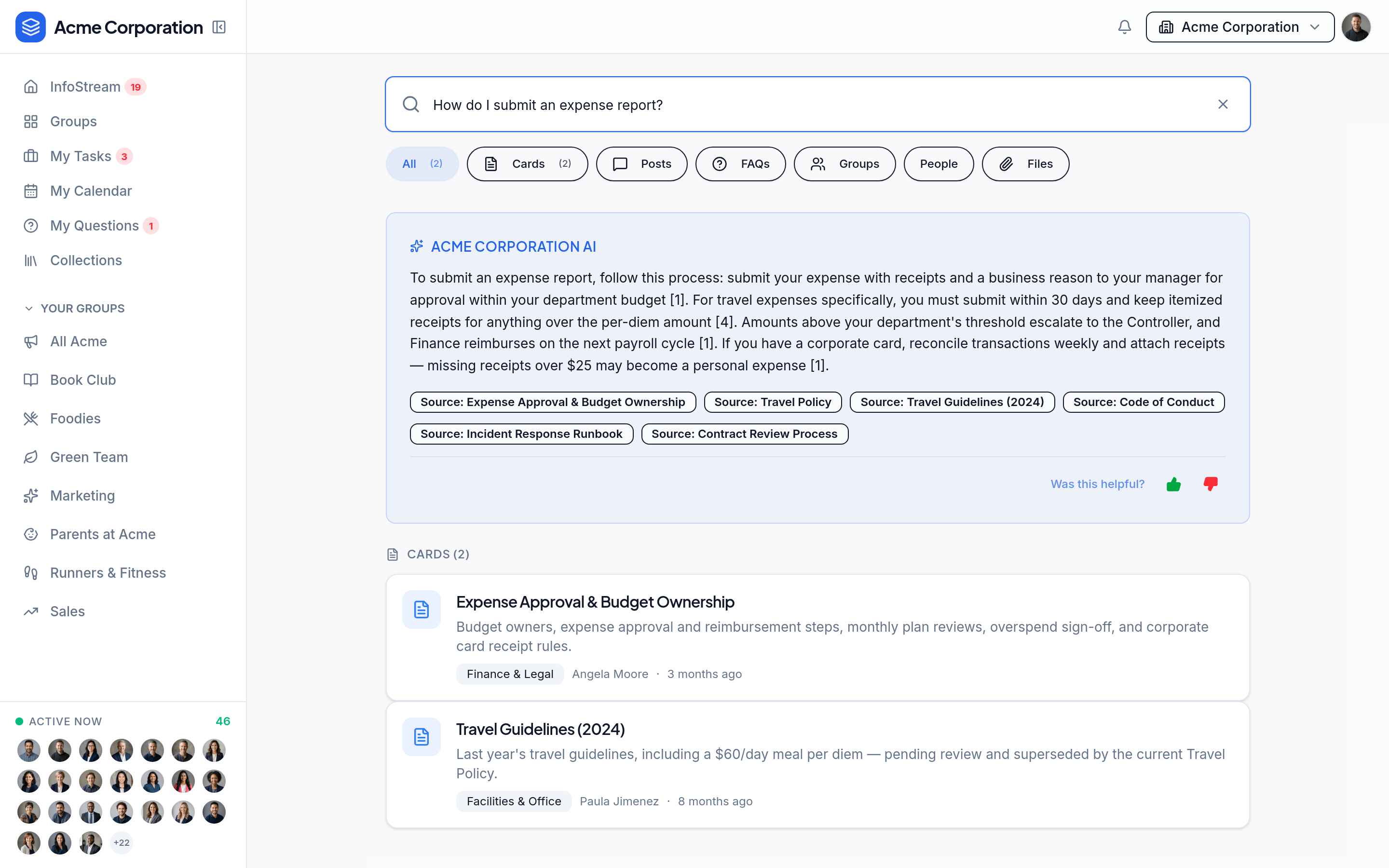
Ask a question and see a grounded answer alongside the knowledge that supports it. Open the source to understand the context, not just the conclusion.
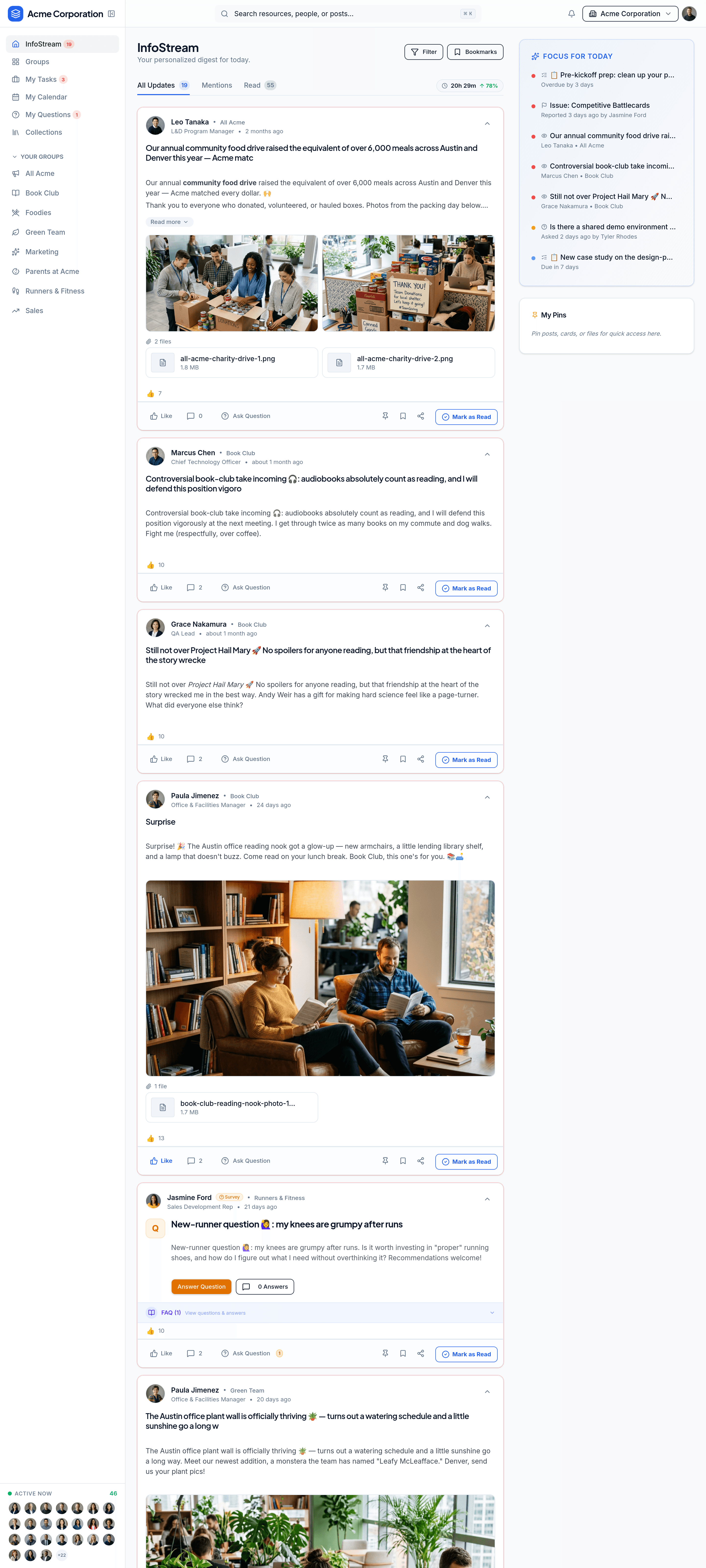
A personalized feed brings relevant updates and conversations together. Consumption benchmarks help teams understand what has reached people and where gaps remain.
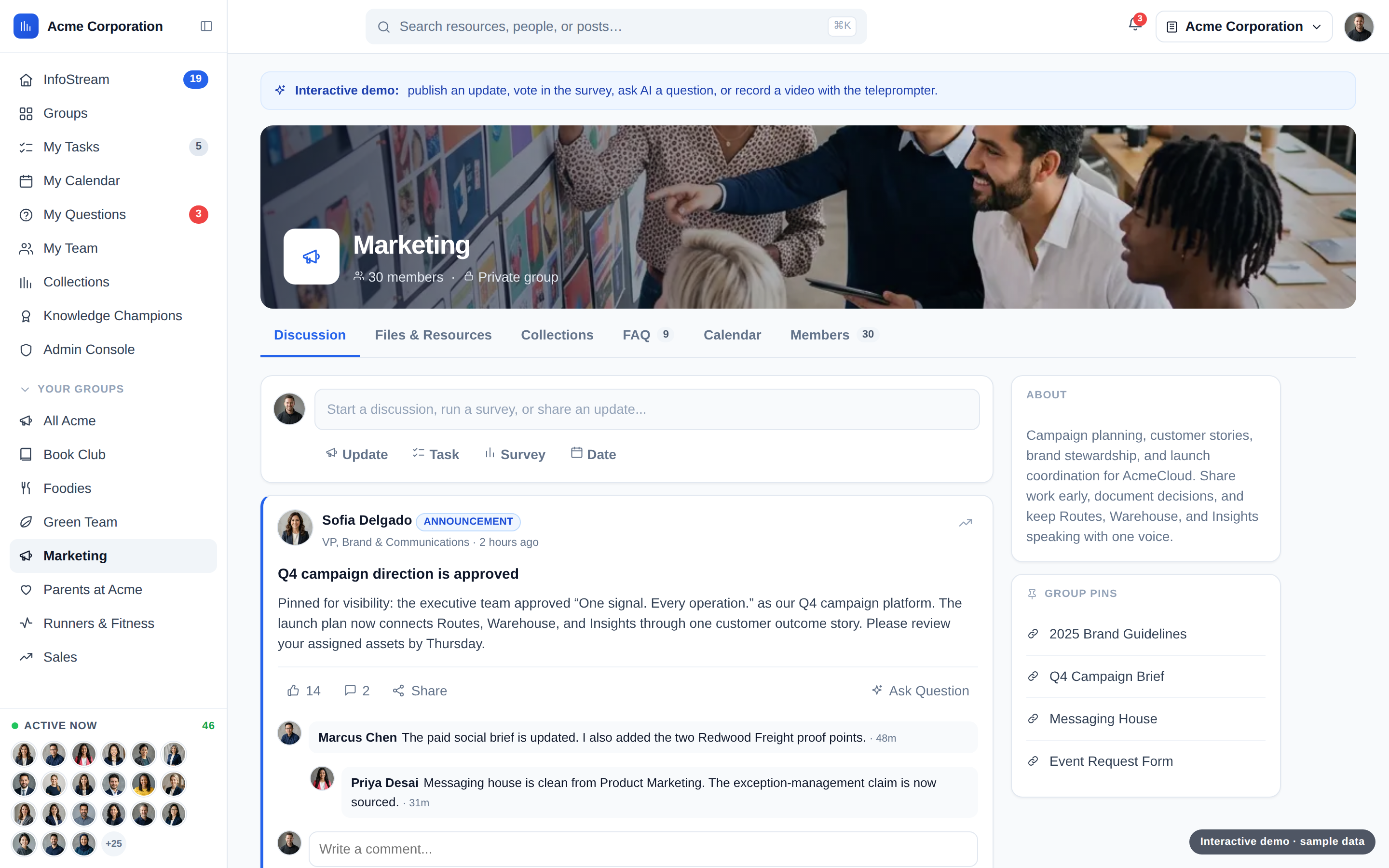
Rule-based membership keeps the right people included. Each group brings its resources, updates, tasks, surveys, dates, and files into one shared home.
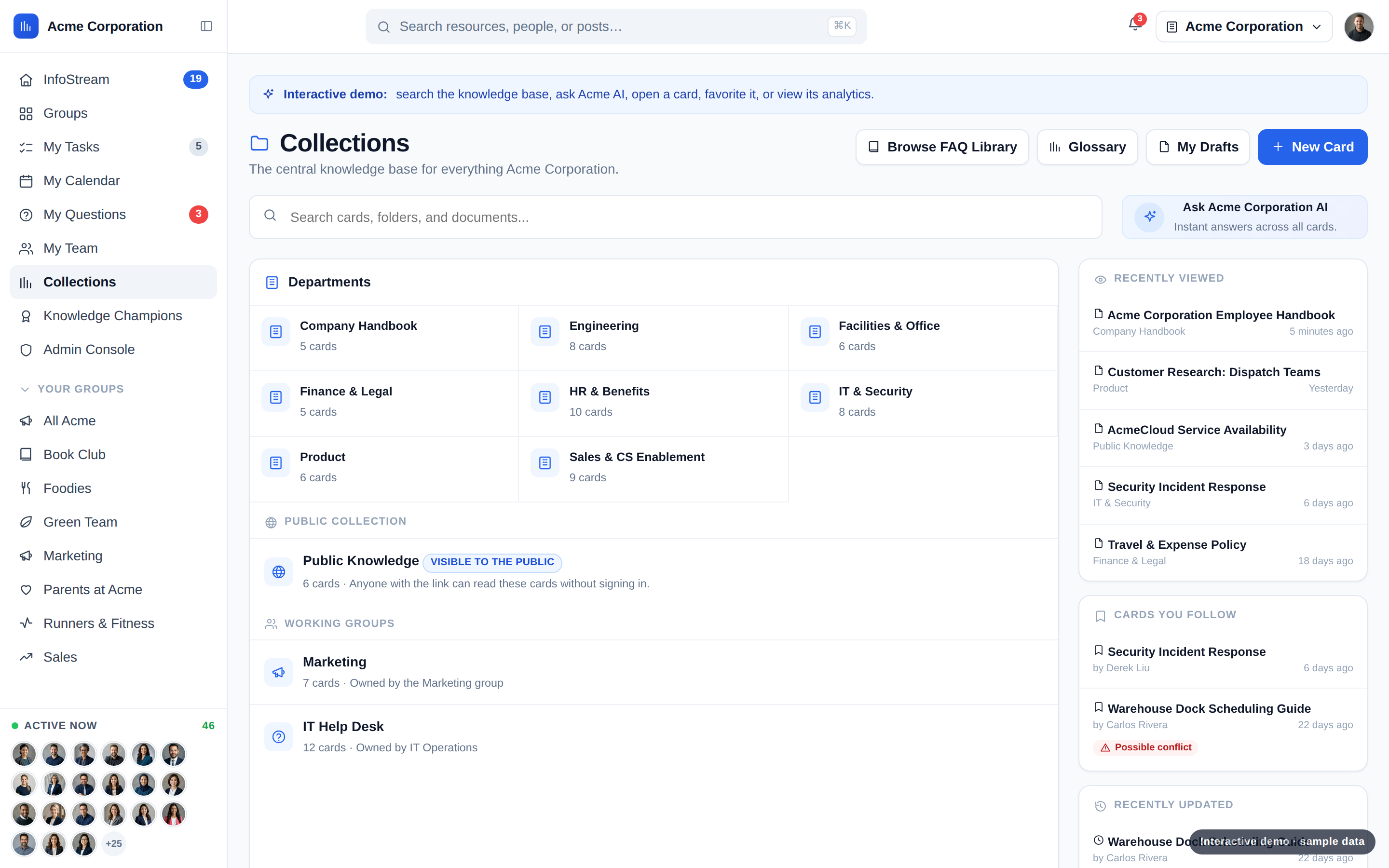
Organize trusted knowledge by department or group. A shared glossary defines company terminology, while selected public collections can serve audiences outside the company.
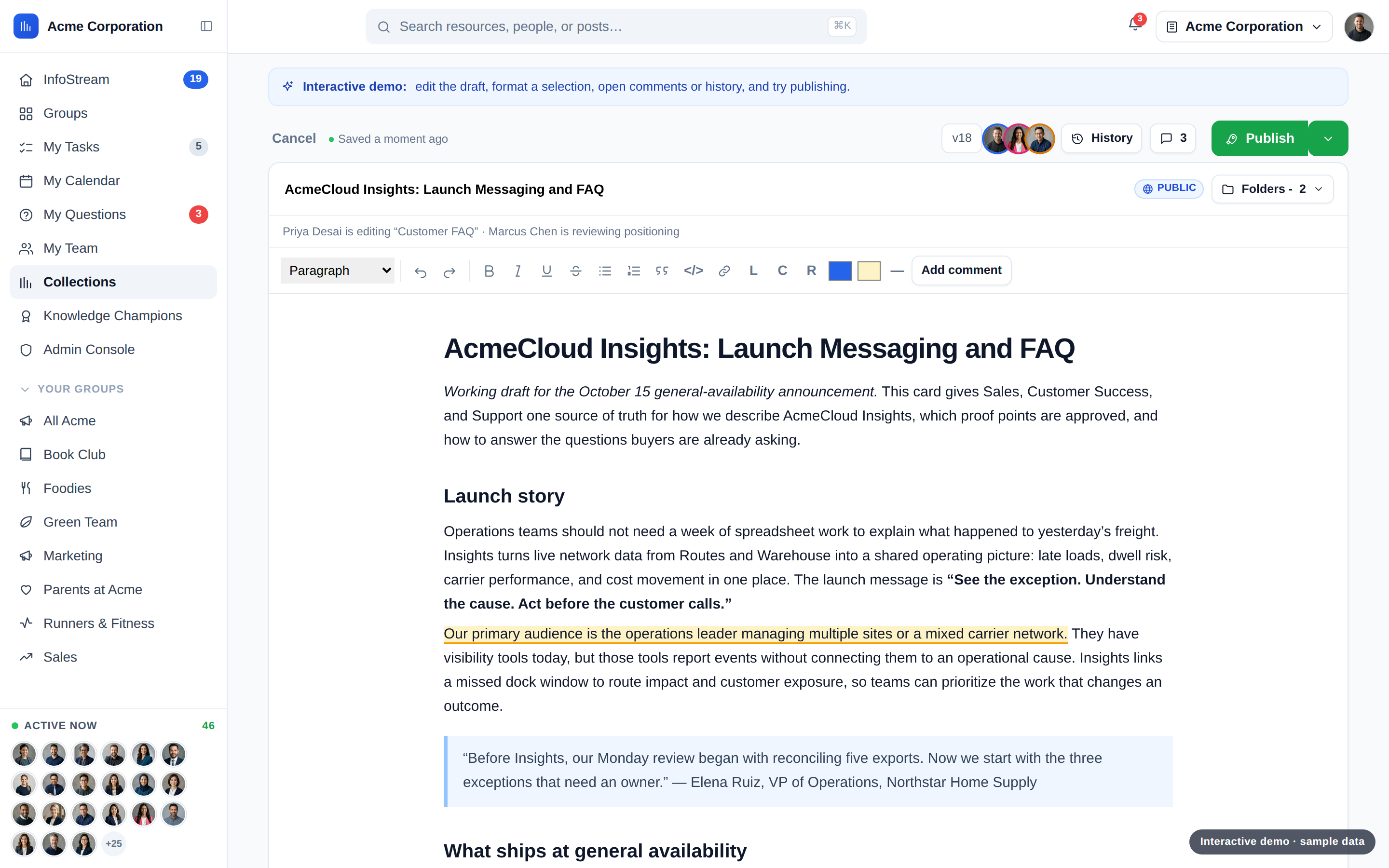
Create living documents with collaborative authoring, autosave, version control, comments, and verification. Review and publish with contributors while keeping permissions in place.
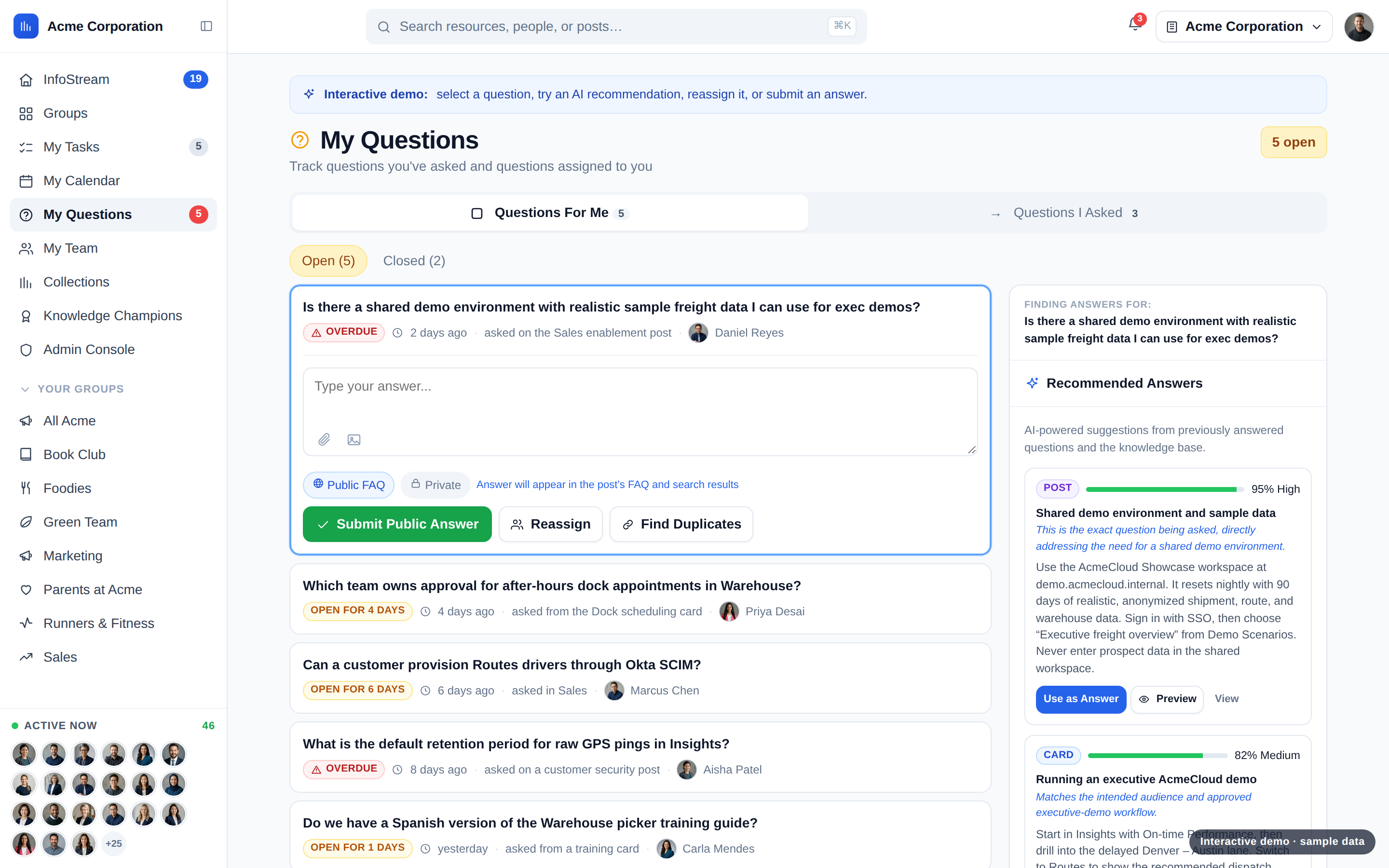
Route questions to the right people and recommend grounded answers from existing knowledge. Resolved questions become searchable FAQs, ready for the next person.
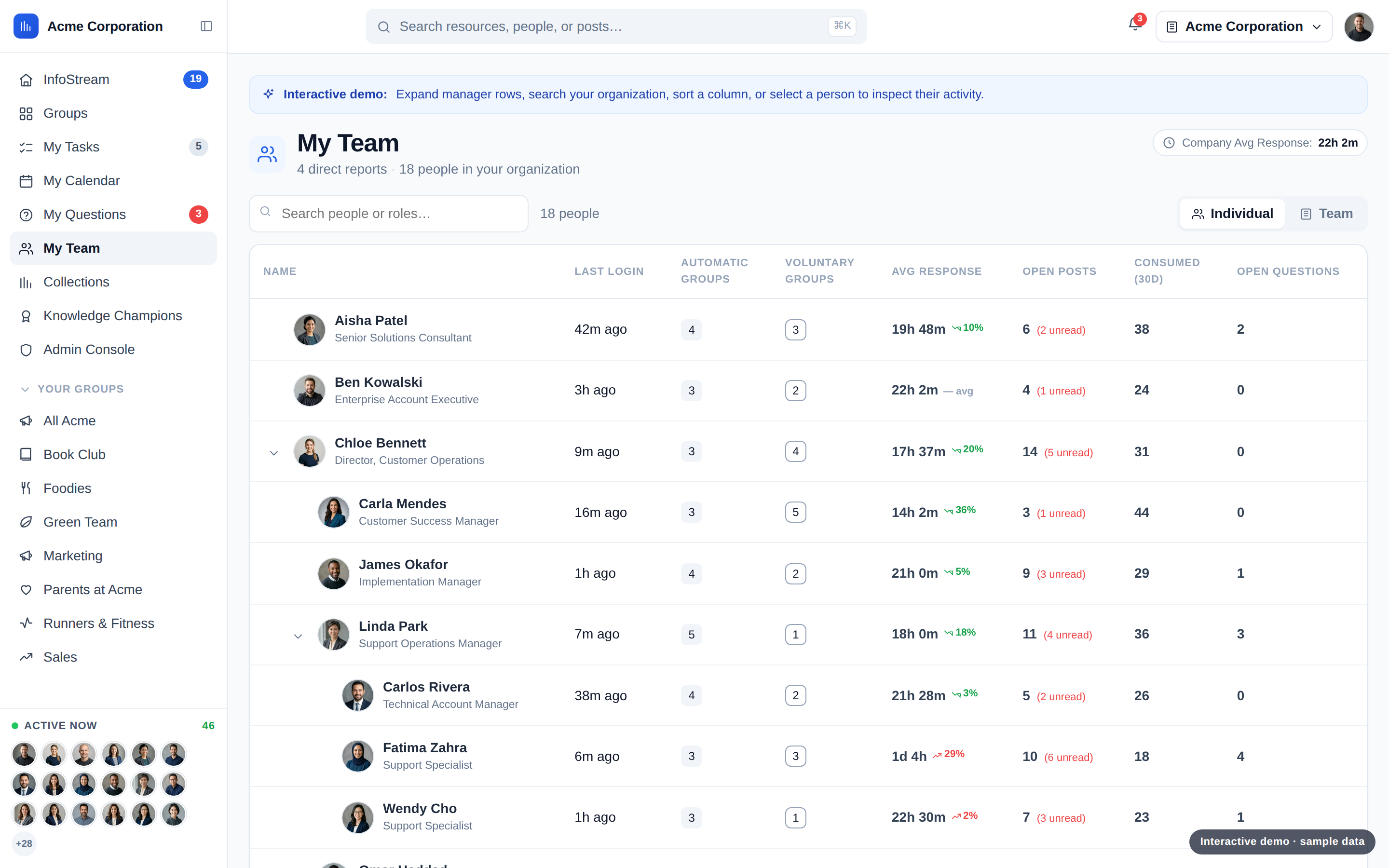
See team consumption, group exposure, and open posts. Navigate reporting hierarchies and compare against company benchmarks to spot where support is needed.
Notion gives you a flexible workspace to set up and maintain. NuHQ keeps knowledge current, cited and in front of the right people, with every feature on every plan.
| Knowledge |  Notion | |
|---|---|---|
| Collaborative editing & version history | ||
| Answers in Slack | ||
| Page verification | Business+ | |
| Cited AI answers with sources | Business+ | |
| Read tracking & team benchmarks | Analytics on Business+ | |
| AI flags conflicts & stale content | Set up yourself | |
| Every feature on every plan | Varies by plan |
Notion features checked against notion.com, November 2026. "Business+" means Business and Enterprise plans. NuHQ AI usage is billed separately on all plans; see pricing below.
Running product work in Notion too? See NuHQ ProductsStart with what your team needs to trust. Import from Notion, review access, and keep the source connected while you settle in.
Notion sourceDaily · one wayKnowledgeNotion syncs daily, one way. Drive, OneDrive, and SharePoint sync hourly, one way.
Confluence is a one-time import as drafts. Ask in Slack or read and search through MCP. See connection details.

Every plan includes all Knowledge features. Add expected AI usage and any scoped migration cost, then compare with your Notion plan on the same scope.
Yes. Notion wikis support page owners, verification expirations, and re-verification notifications. Verification for any page or database page is available on Business and Enterprise. The choice is not “verification or no verification.” Consider how knowledge is maintained, distributed, and connected to everyday work. Read Notion’s verification documentation.
Yes. NuHQ supports importing Notion content and keeping it connected with daily one-way sync into Knowledge. It is not a two-way editing loop. Agree which content stays maintained in Notion and review the imported result before rollout.
No. Notion permissions do not transfer. Review access in the NuHQ destination, along with content and ownership, before your team relies on imported knowledge. A connection is not a substitute for an access review.
NuHQ Knowledge shows knowledge consumption, group exposure, and team benchmarks. NuHQ Products adds product-specific release reporting and is scoped separately. Notion has native charts and dashboard views: one free chart, multiple charts on paid plans. Notion page analytics are basic on Free and Plus, advanced on Business; workspace and search analytics are Enterprise features. Review Notion’s plan qualifications.
No. Notion is a useful home for PRDs, specs, launch documents, discovery notes, and lightweight roadmaps. You can adopt NuHQ Knowledge without moving that work. Consider NuHQ Products separately when the value of connecting research, customer accounts, ideas, features, releases, and goals outweighs the effort of switching. The comparison above covers those differences without treating a dedicated product workflow as something every team needs.
Yes. Ask by slash command, mention, or direct message and get a permission-aware answer with sources. Slack notifications are separate: mentions, tasks, posts, and questions are delivered as direct messages to linked users, not to configured channels.
Yes. MCP is available for read and search access. Each user signs in with OAuth, and responses respect that user’s permissions. It does not provide write access.
Bring your existing knowledge and everyday tools into the conversation:
We’ll review permissions, configuration, and supported sync behavior with you before connecting your tools.
Tell us your name, company, and email. The NuHQ team will follow up to discuss Knowledge, your current Notion setup, and the right scope for your team. This request does not sign you up for marketing.
Bring trusted knowledge into the work, the conversation, and the next decision. Start with the part your team needs most.